
Install
curl -fsSL https://maxkuttner.github.io/openoms/install.sh | sh
Read the script before you pipe it into a shell —
it downloads one checksummed binary into ~/.local/bin and stops
there. No sudo, nothing started, nothing configured.
Then run
oms database init
oms
Then open http://localhost:3001/cockpit/.
~/.local/bin is not on the default macOS PATH; the
installer prints the one export line to add when it isn't on
yours, and these two commands need it.
oms database init needs a Postgres 16 to talk to. Don't have one?
Clone the repo and run docker compose up -d — it brings up
exactly the database the defaults assume.
What you get
- Order routing across multiple brokers, over FIX and REST.
- A web cockpit compiled into the binary — blotter, positions, connections.
- Trading tokens scoped to a principal's portfolio grants.
- Risk checks and order reconciliation on reconnect.
- A Python client and CLI for everything the API exposes.
Docs
- Architecture — how feeds, instruments and broker connections fit together.
- API reference — every endpoint, generated from the OMS's own OpenAPI spec.
The cockpit
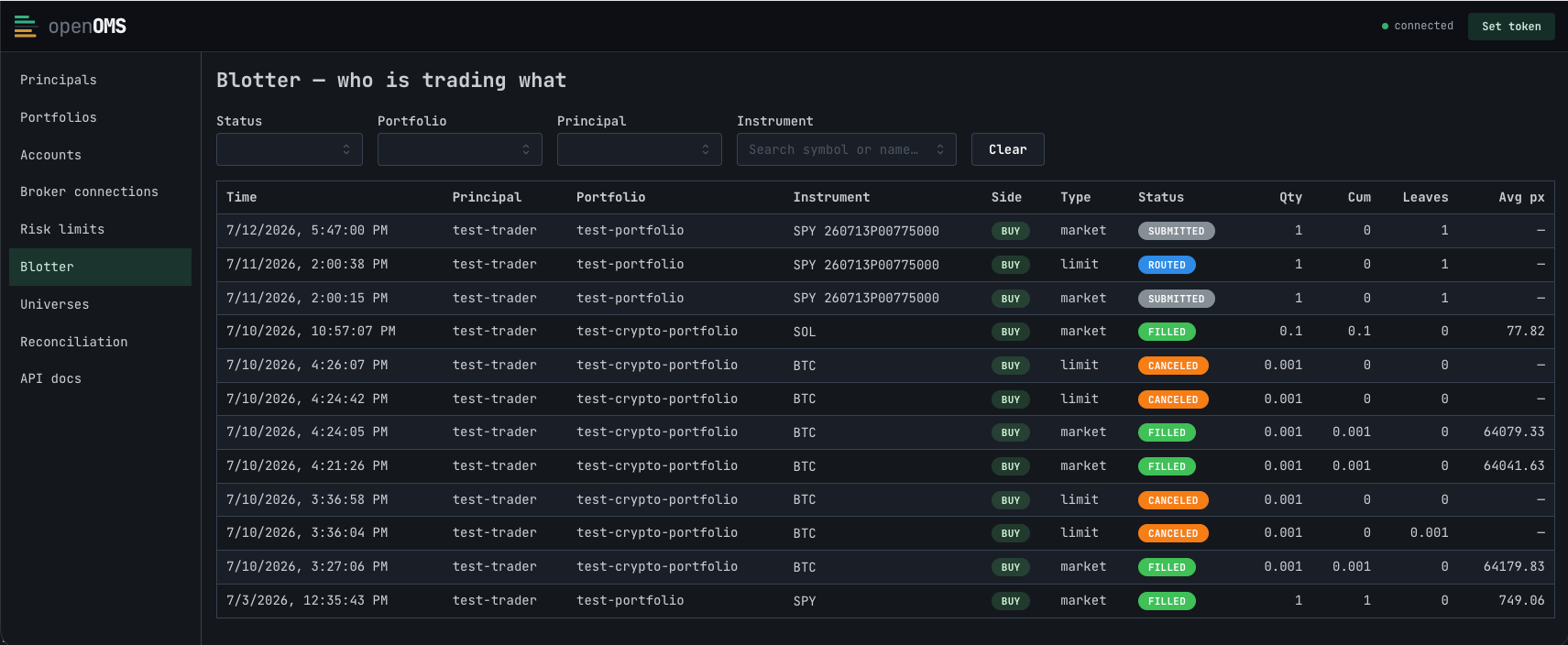
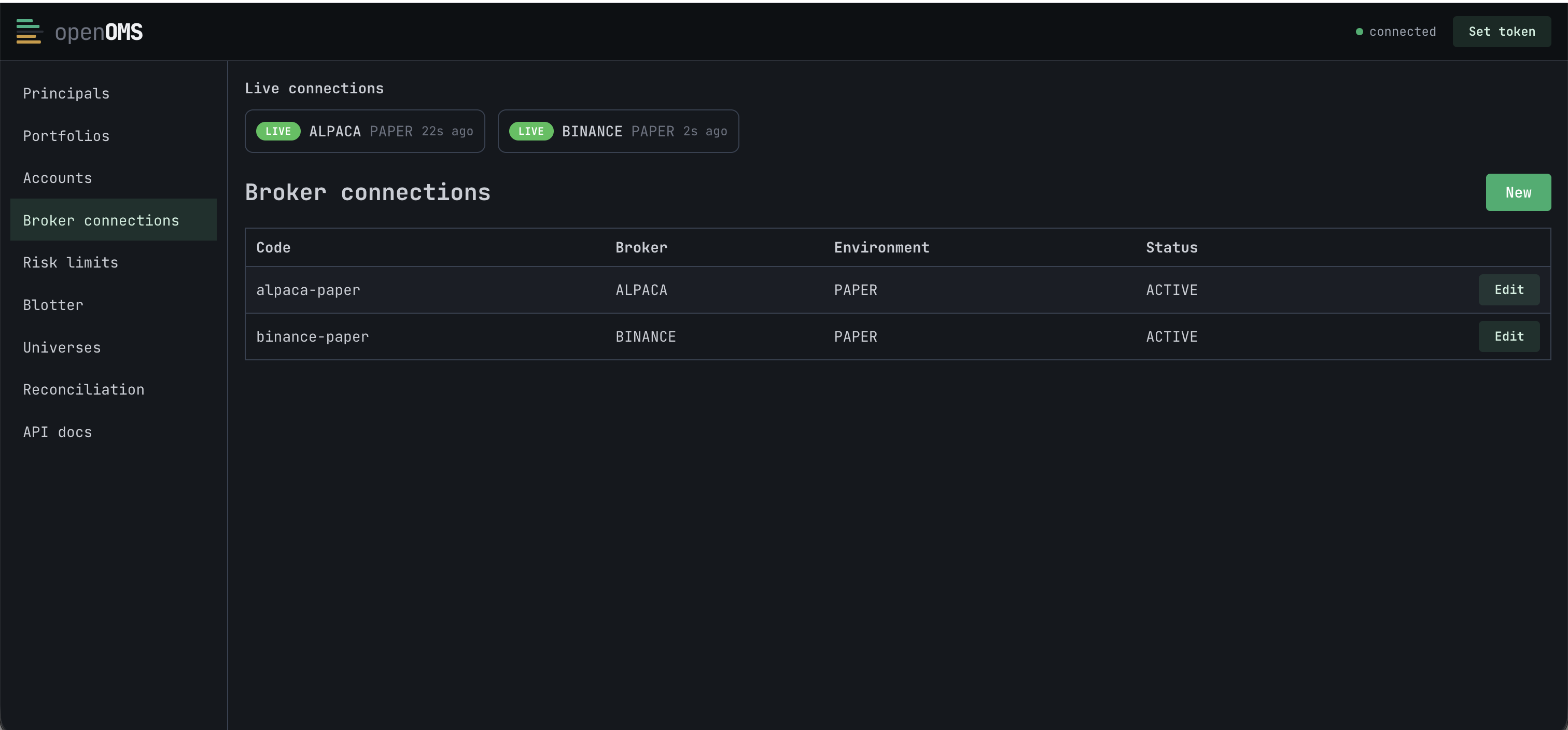
Requirements
- macOS on Apple Silicon, or Linux on x86_64, for the prebuilt binary.
- OpenSSL 3 on Linux — Debian 12 and Ubuntu 22.04+ have it; Ubuntu 20.04, RHEL 8 and Amazon Linux 2 do not. The macOS binary needs nothing.
- Postgres 16.
- Anything else: build from source — see the readme.